
Is your IFC model ready for AR on site?
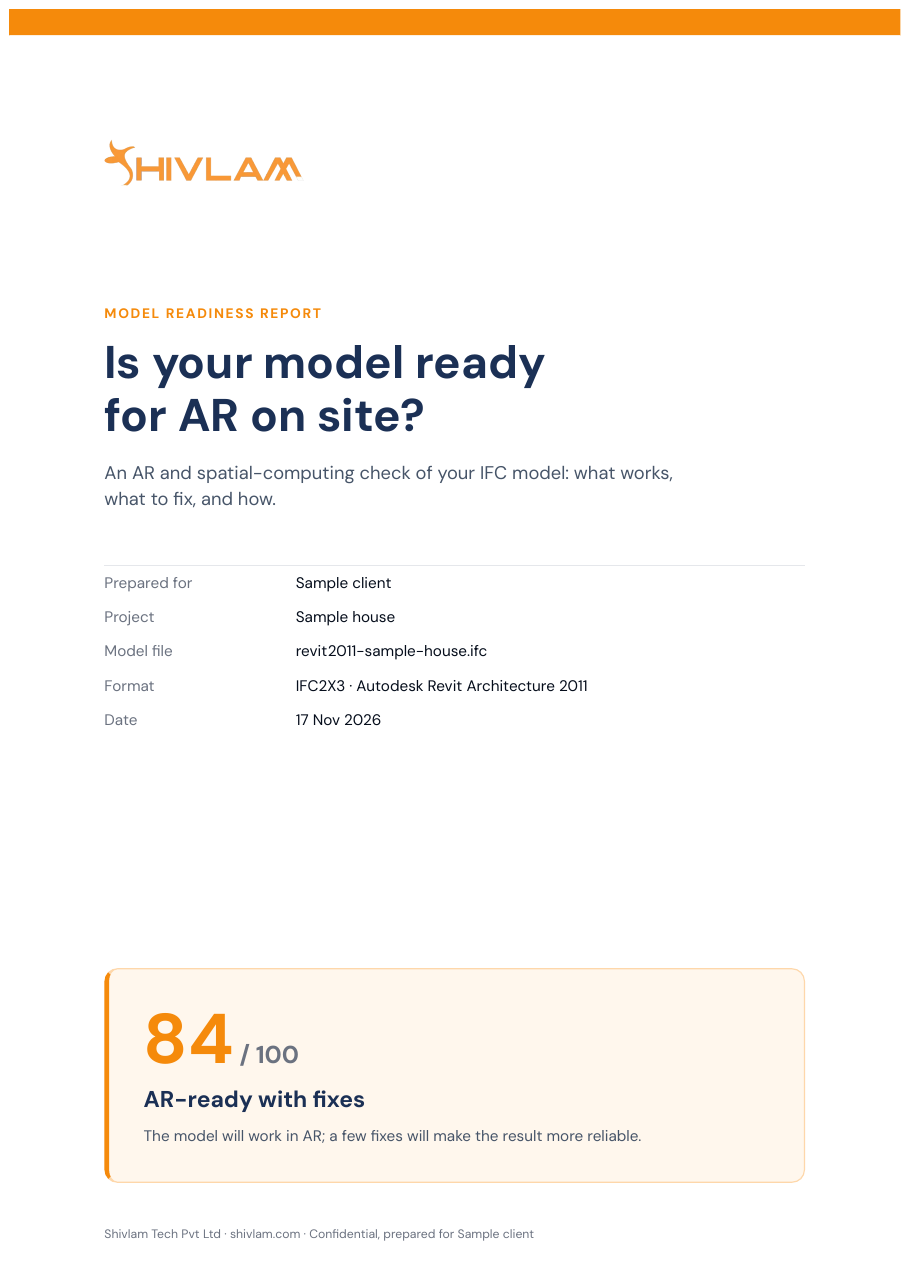
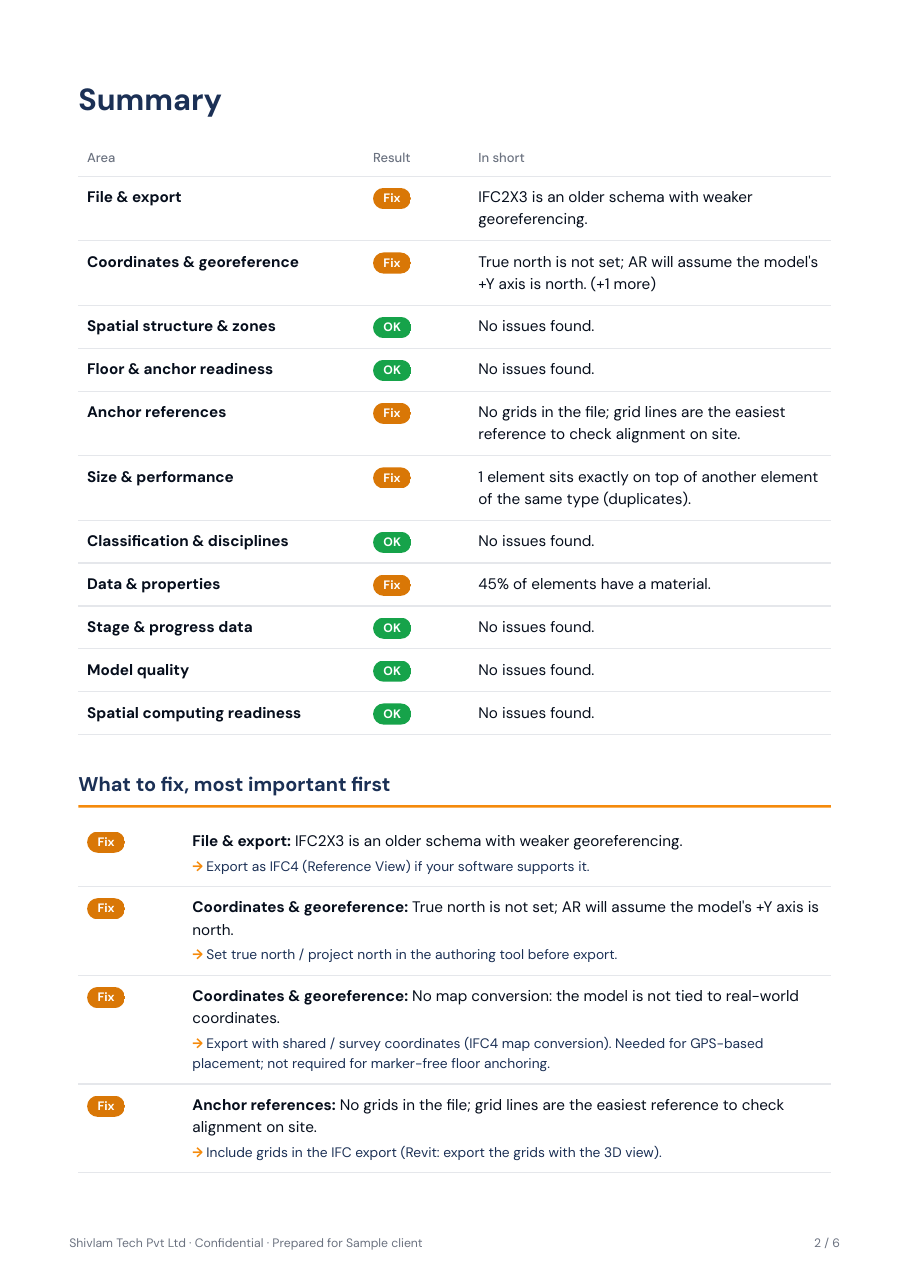
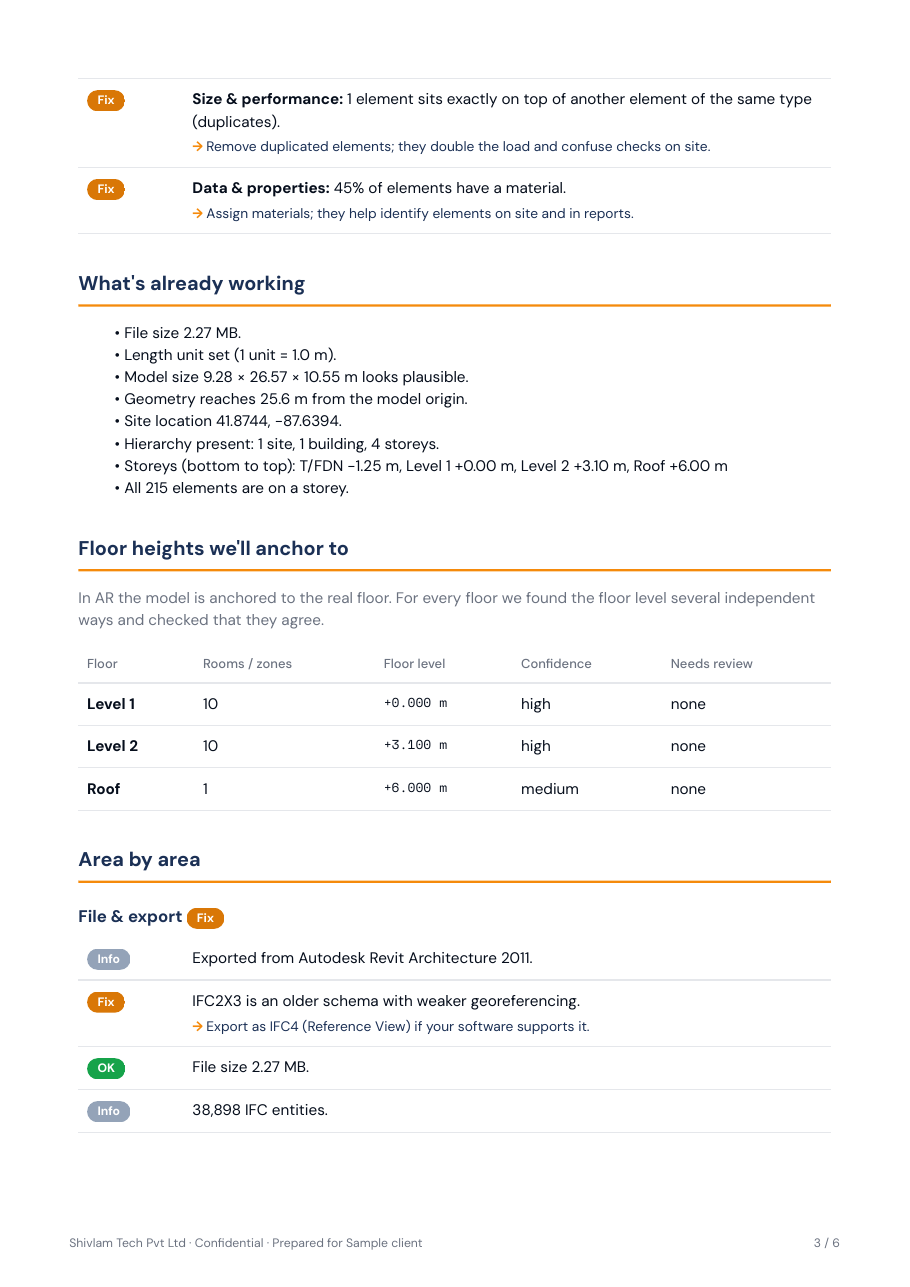
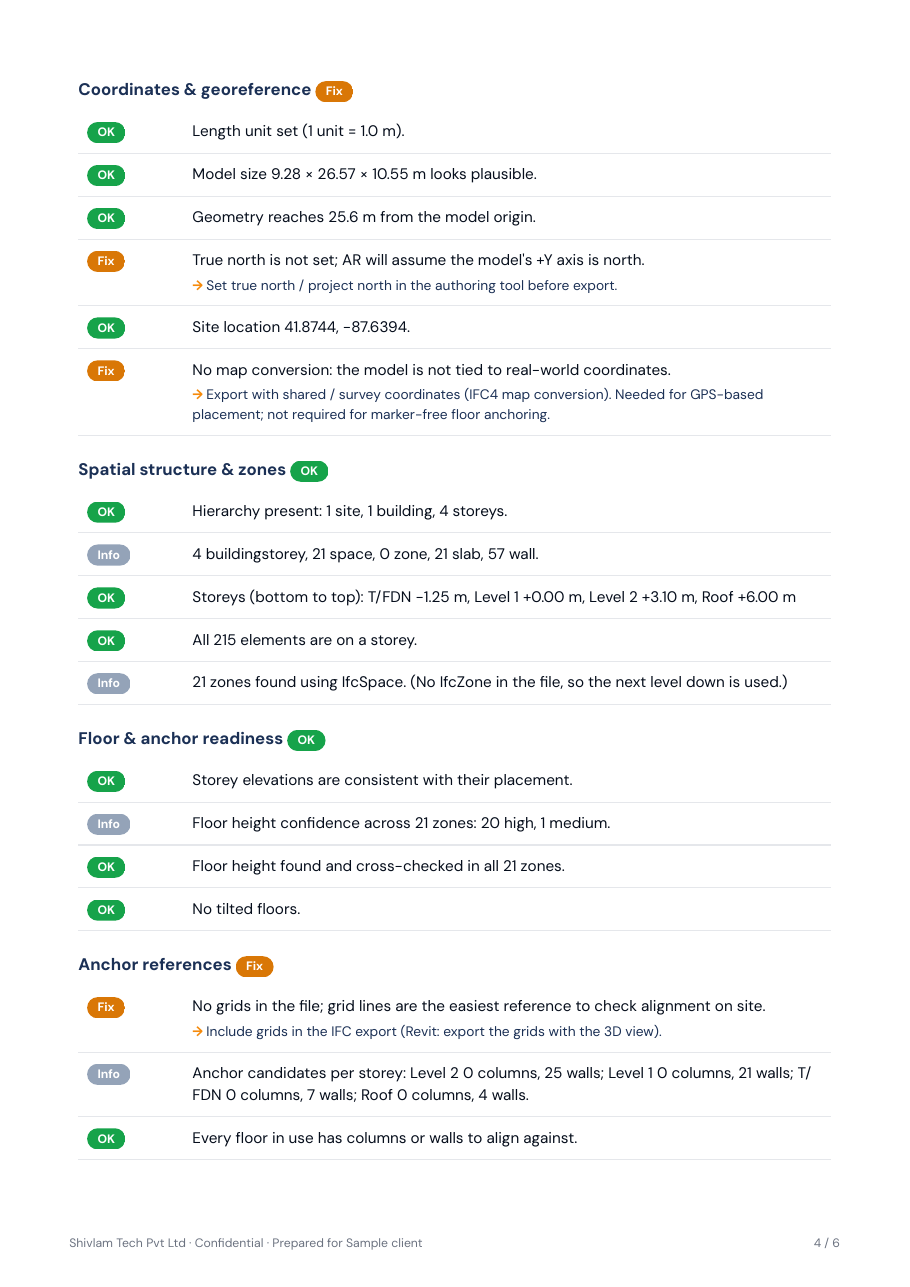
Free AR-readiness check. Send your model, and get a PDF report with a score and a fix list within 2 working days.
Checked offline on our own machine. NDA on request.
A model can look right on screen and still fail on site.
- It sits kilometres from its origin, so it drifts in AR.
- Floor levels are doubled or wrong, so walls appear at the wrong height.
- It is too heavy for an iPad, so the walk stalls.
You usually find out on the day of the site walk. This check finds it first.
What we check
-
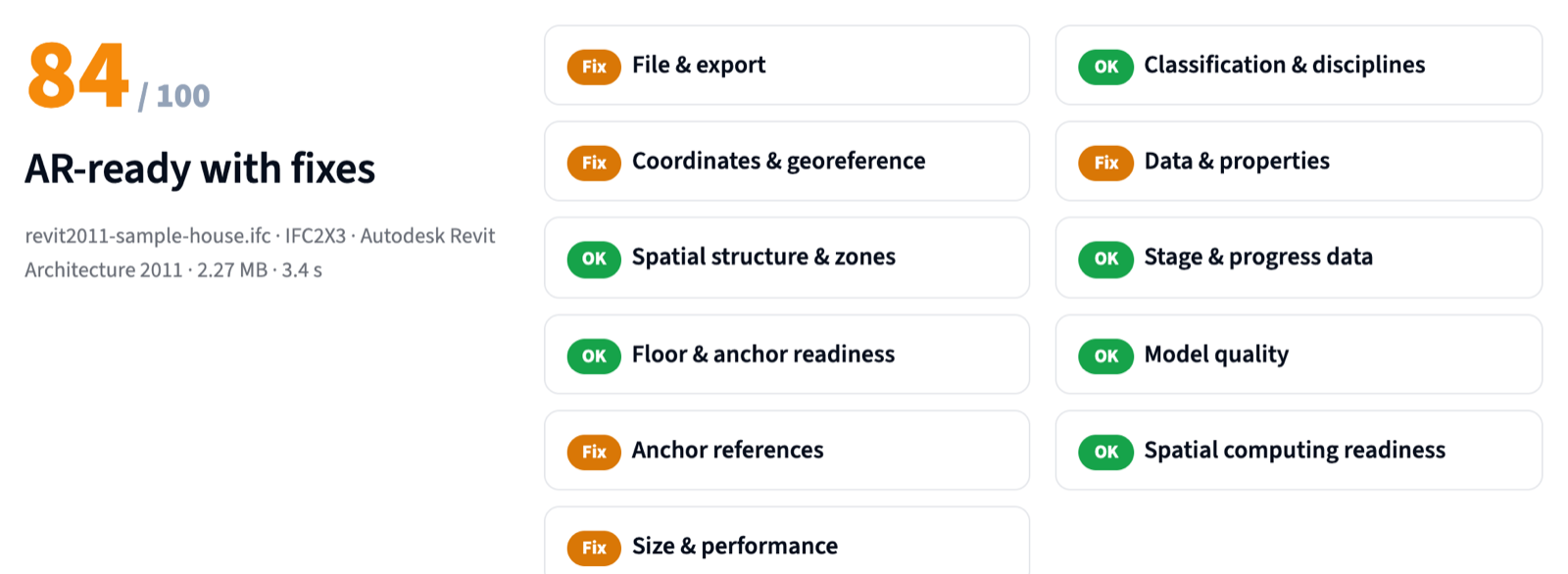
File and export
IFC version, size and authoring software, with the right export tips.
-
Coordinates
How far the model sits from its origin, and whether the site location is real.
-
Structure and zones
Storeys, buildings and zones, so the model can be loaded floor by floor.
-
Floor levels
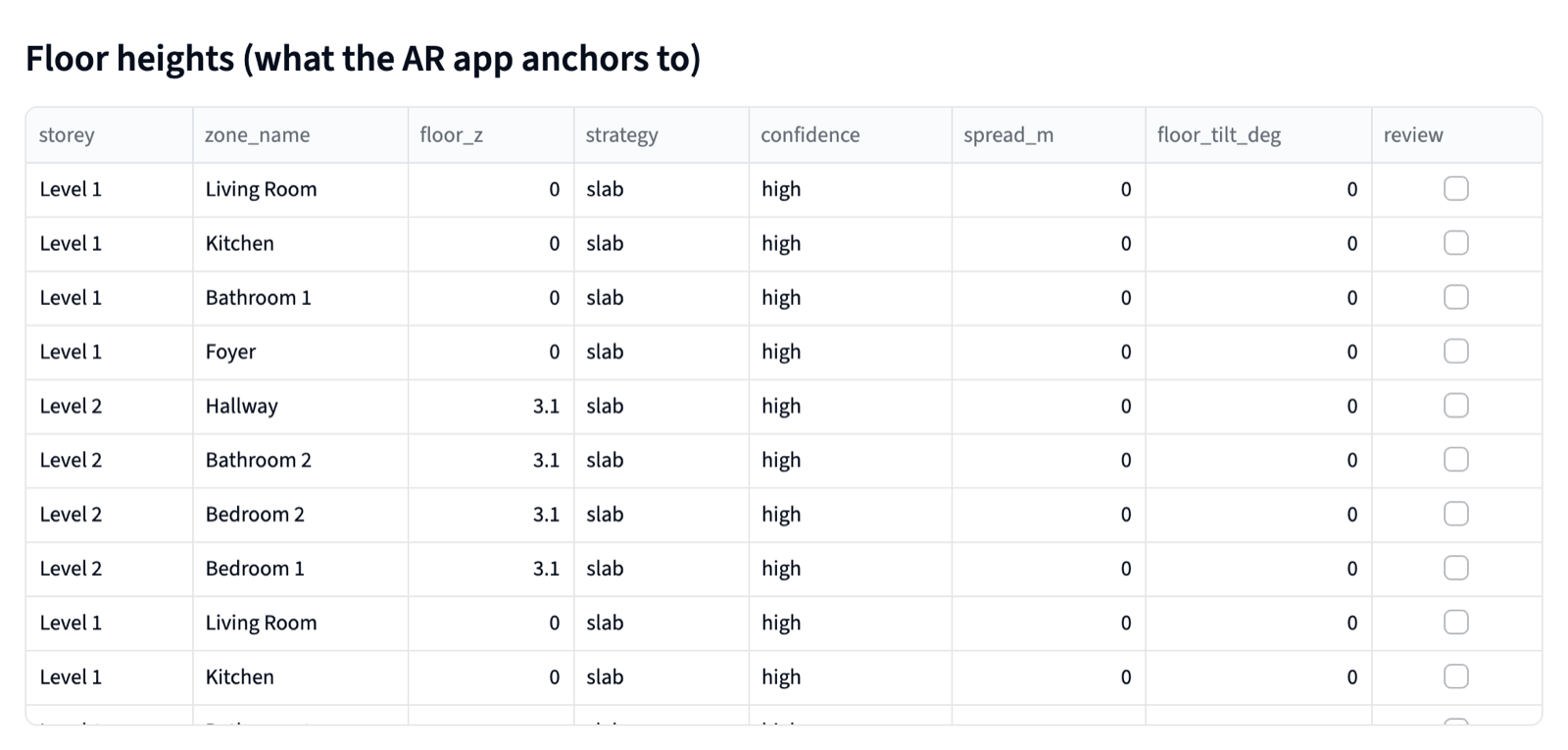
The real floor height per zone, so the model sits at the right height on site.
-
Anchor points
Grids and columns the site team can line the model up with.
-
Size and speed on iPad
Triangles per floor and the heaviest elements.
-
Classification
How much is modelled as generic objects instead of walls, slabs and pipes.
-
Data and properties
Names, materials and property sets your team will want to read on site.
-
Progress data
Whether the model carries phase or status information.
-
Model quality
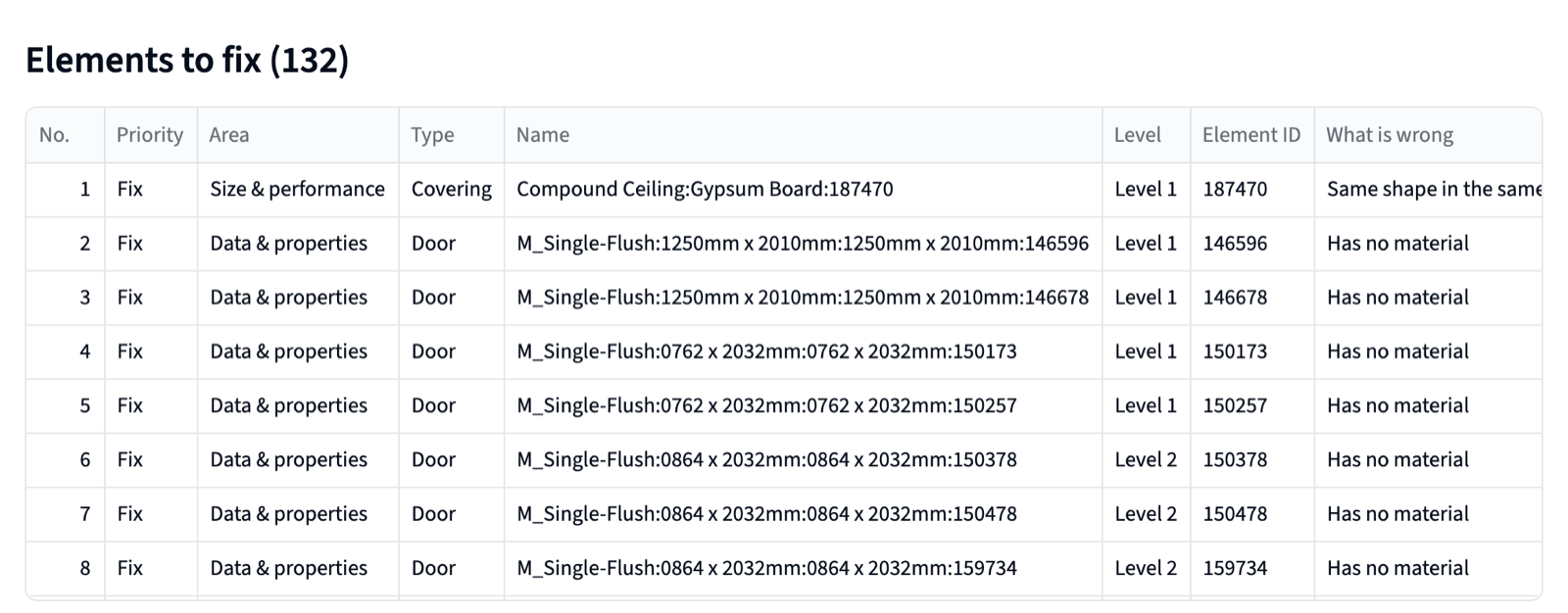
Elements on the wrong floor, rooms listed twice, doors and windows not cut into walls.
-
Vision Pro and Quest
Whether the model fits a headset's working budget.
What you get
- A score out of 100, with green, amber or red for each area.
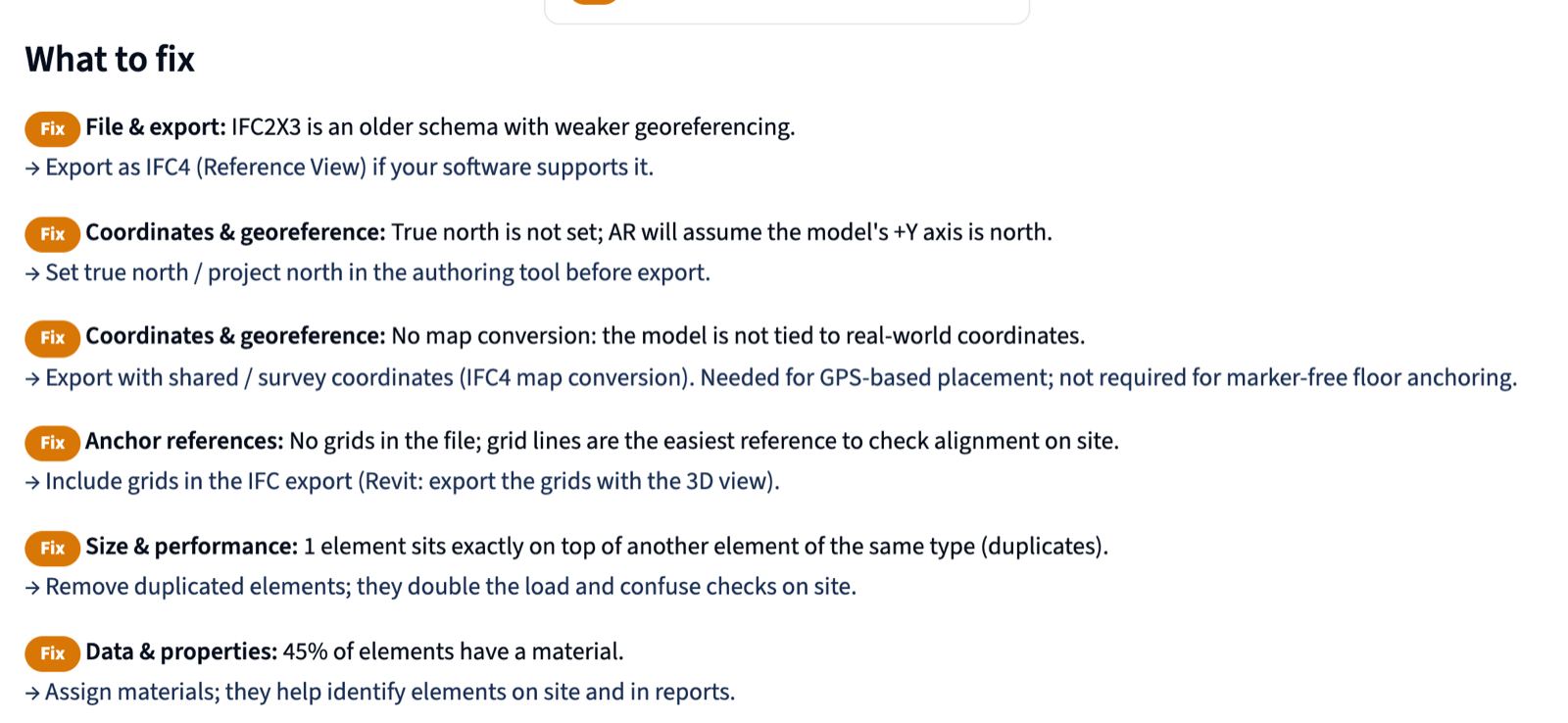
- A fix list your BIM team can act on, with Revit and ArchiCAD export tips.
- A clear answer: AR-ready, AR-ready with fixes, or not ready yet.
How it works
- Fill in the form. Paste a link to your model (WeTransfer, Google Drive or Dropbox), or ask for an NDA first.
- We check it offline on our own machine. Your model never goes into a cloud tool.
- Your PDF report arrives by email within 2 working days.
Confidential project? We sign your NDA first.
We sign your NDA before you share anything. No NDA of your own? We'll send you our mutual NDA.
Checked offline. Never uploaded to a cloud tool. Never shared. Deleted 30 days after your report.
Runs on our machine, offline.
Get your free report
Send a link to your IFC model, or ask for an NDA first. Your report arrives by email within 2 working days.
Questions
Is it really free?
Yes. No card, no subscription. We send the report and offer a DeltaARBIM site demo; you decide if you want one.
Which software and IFC versions work?
IFC2X3, IFC4 and IFC4X3 from Revit, ArchiCAD, Tekla, Vectorworks, Allplan and most other BIM tools.
How big can the file be?
Up to a few hundred MB. Send it as a WeTransfer, Google Drive or Dropbox link.
Who sees my model?
Only the Shivlam engineer who runs and reviews your check. It is checked offline and deleted 30 days after your report.
Do you sign NDAs?
Yes. We sign yours, or send our mutual NDA, before you share the file.
What happens after the report?
Your BIM team fixes what it flags. If you want, we show the corrected model on your real site with DeltaARBIM.